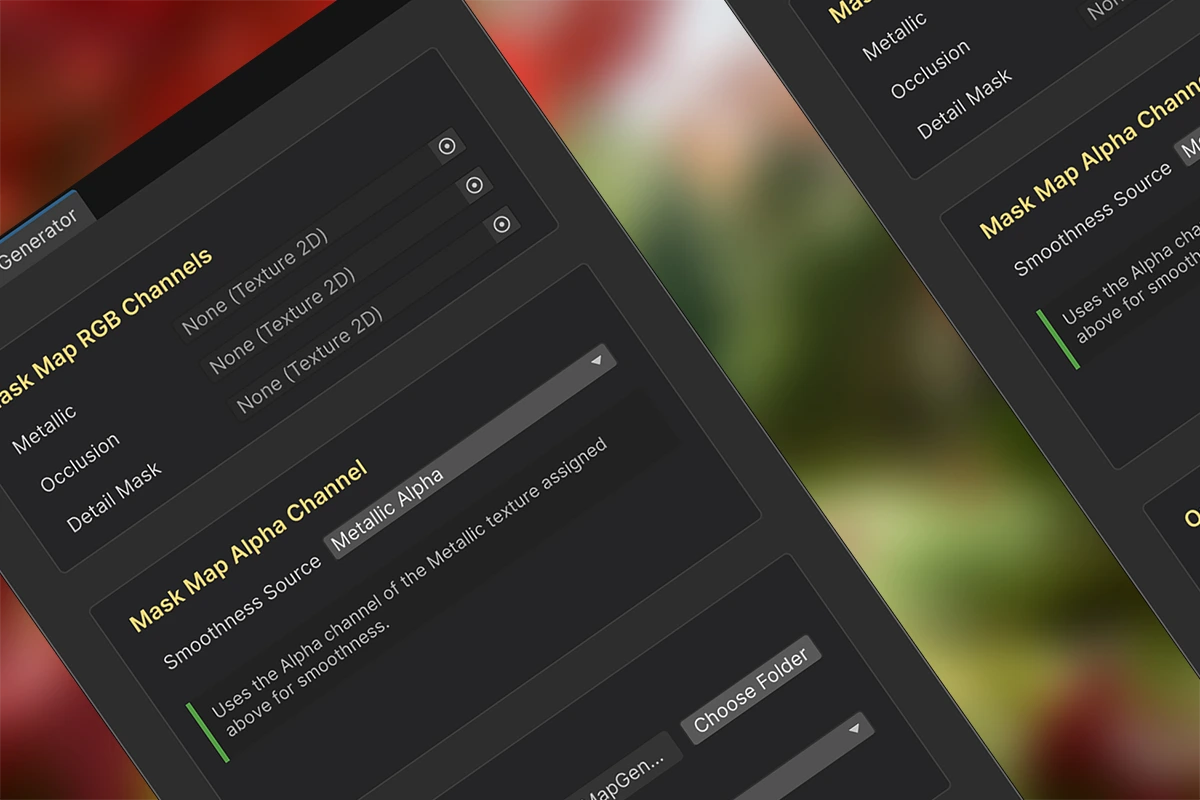
The HDRP Mask Map Generator was created to address this workflow pain point: creating Mask Map textures typically involves tedious manual processing of PBR texture channels — such as repeatedly extracting, merging, and exporting channels in image editing software. Additionally, freely available PBR textures online often only include roughness maps, which cannot be used directly with the HDRP Wizard to generate Mask Maps. This usually requires extra steps, like inverting them into smoothness maps or merging them into the alpha channel of metallic maps.
Overview
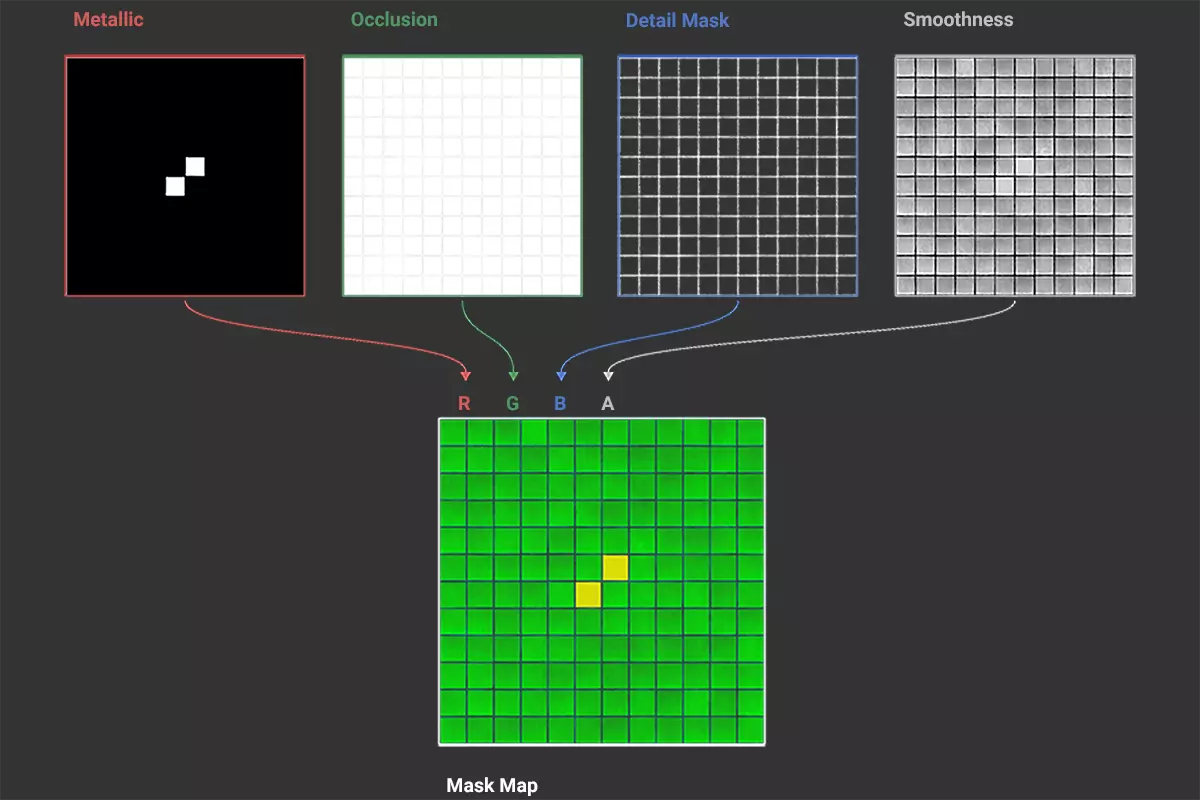
The HDRP Mask Map Generator tool extends the Unity editor and provides a visual interface to merge multiple independent PBR textures (such as Metallic, AO, Detail Mask, and Smoothness) into a Mask Map texture that complies with HDRP specifications, simplifying the material creation process. The merging process is shown in the following figure (PBR Textures: Tiles 132 A and Metal 048 C, sourced from ambientcg.com):
Key Features
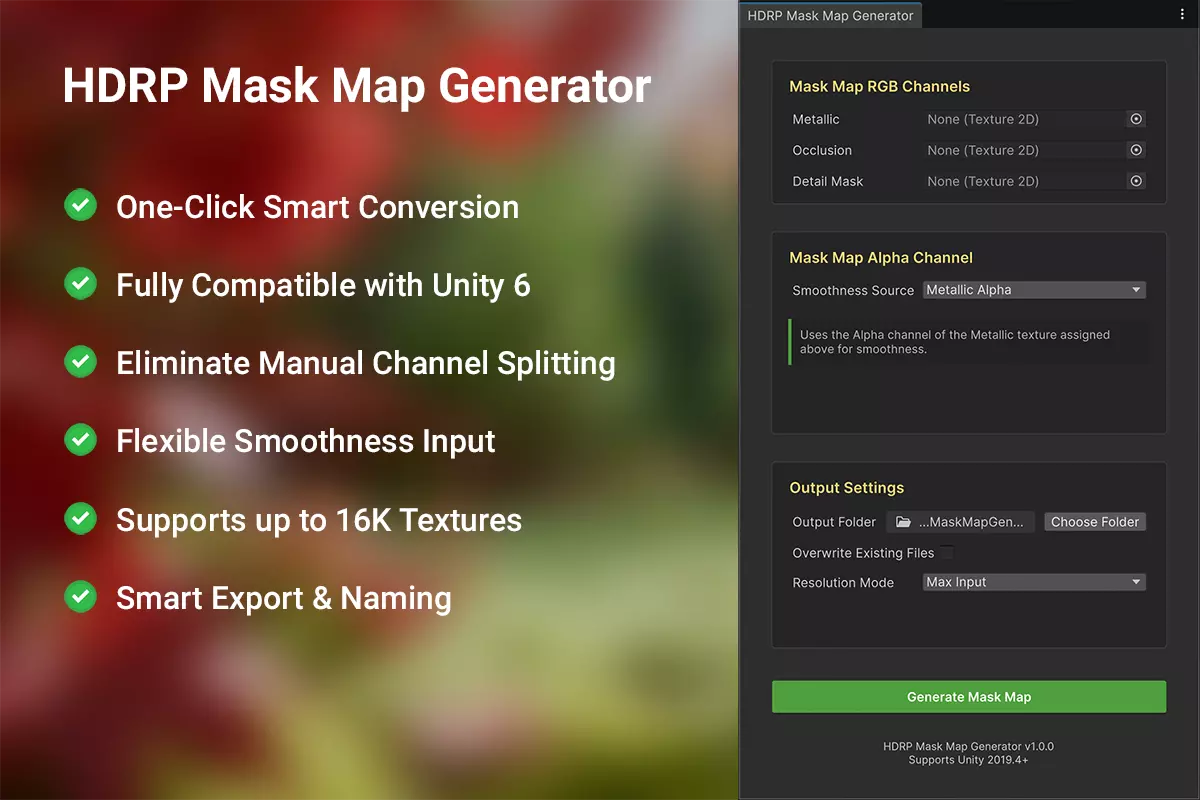
One-click smart conversion: get the job done in an instant, no complicated steps required.
Fully compatible with Unity 6 — seamless integration with your current development environment.
Say goodbye to manual channel splitting: eliminate tedious, error-prone manual work for good.
It supports multiple smoothness sources…, including Roughness maps. This means, finally, native support for Roughness maps. Your free PBR textures are now drag-and-drop ready for HDRP.
Up to 16K texture support on Windows and macOS — unmatched detail and clarity for your projects.
Smart export & naming: keep your files organized automatically, no more messy file management.
Technical Specifications and Compatibility
Supported Unity Versions: 2019.4 LTS and newer.
Render Pipeline: Primarily for HDRP. Tool functions in URP/Built-in, but output is HDRP-optimized.
Texture Resolution Support: 32 to 16K (Windows & macOS).
Input Formats: PNG, TGA, and EXR (JPG is not recommended).
Output Format: PNG.
Operational Process
Step 1: Assign Your Base Textures
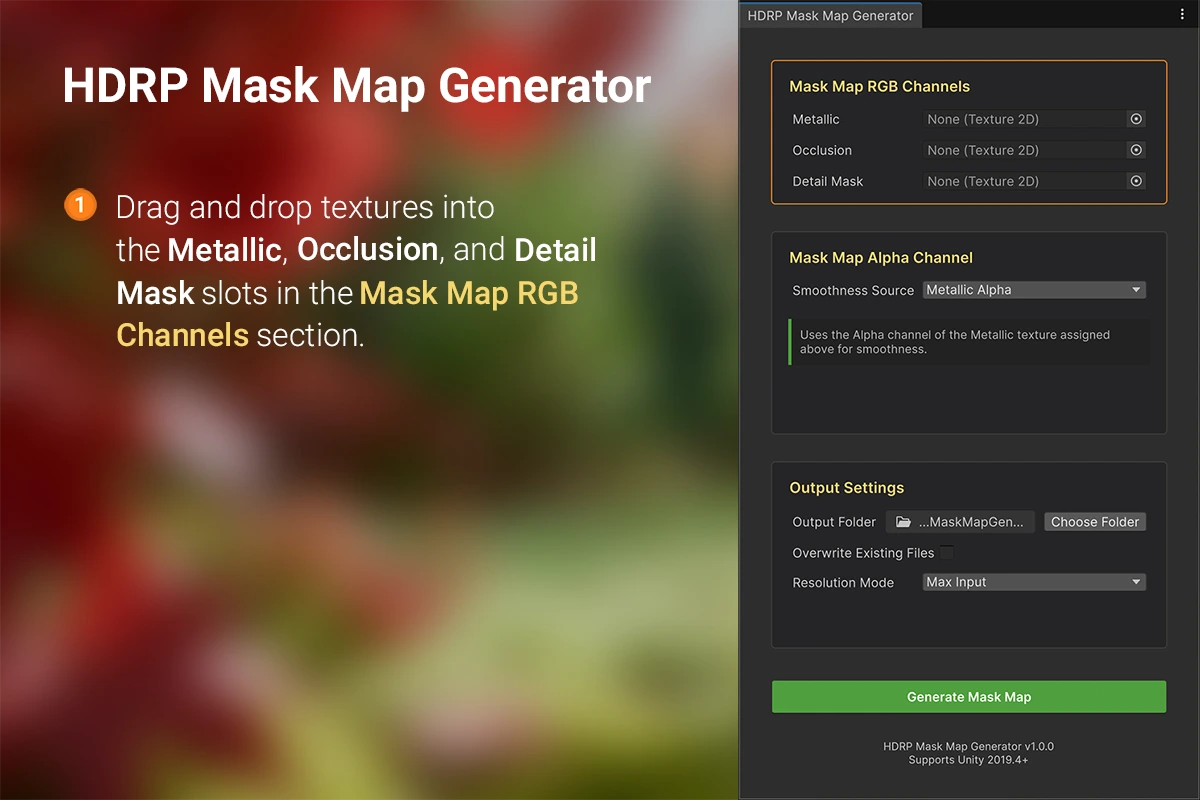
Step 2: Set the Smoothness Source

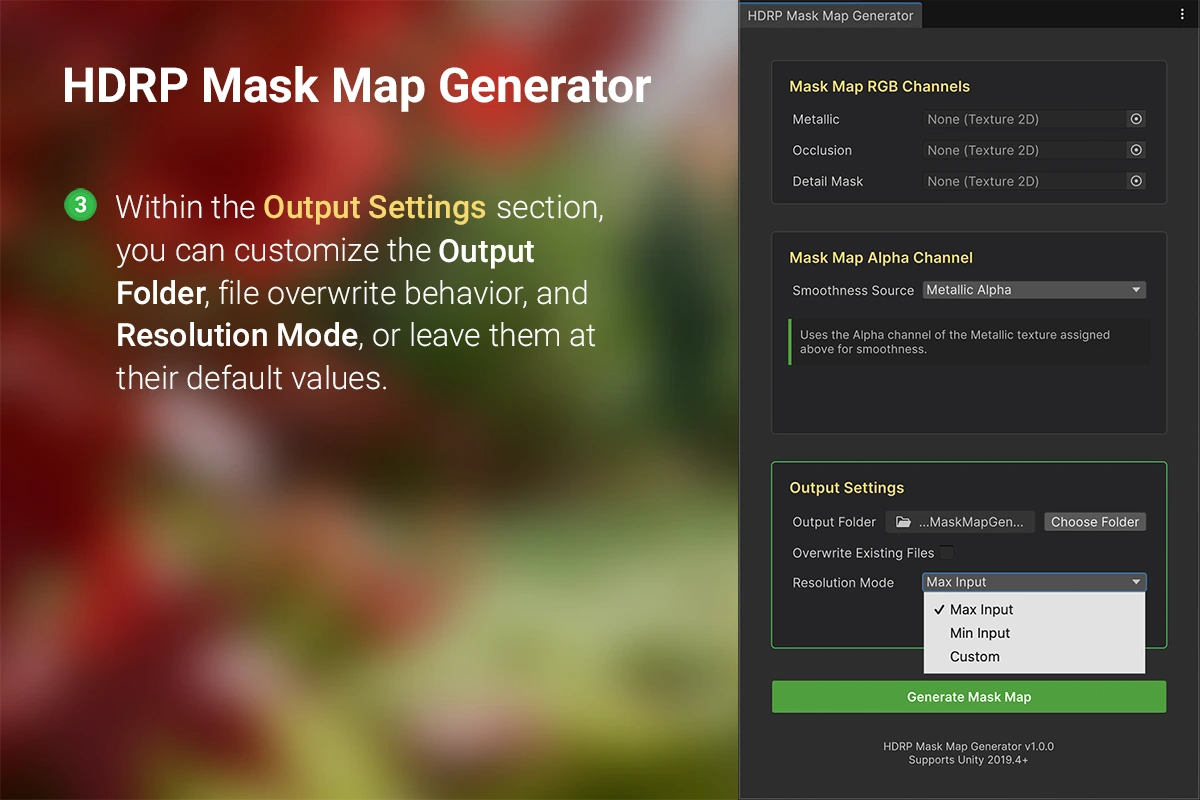
Step 3: Adjust Output Settings
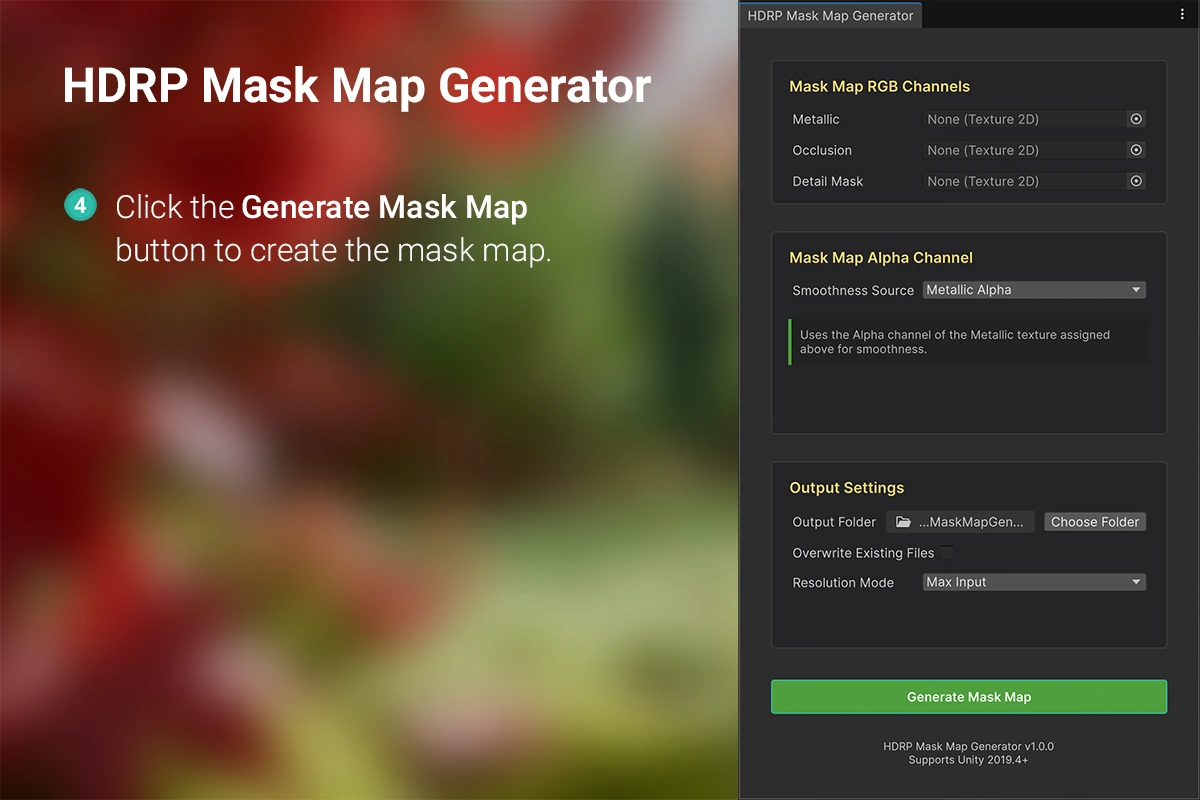
Step 4: Generate the Mask Map
Performance & Quality Assurance
The HDRP Mask Map Generator has been rigorously tested. It produces textures that are visually lossless compared to manual creation methods.
As a pure editor tool, it guarantees zero runtime overhead and is to be used exclusively for asset production.
Looking Ahead
Continuously incorporating community feedback to refine the tool.
Exploring next-generation algorithms for improved results.
Skip the Grind, Instantly
A proven editor tool that delivers professional quality, priced for effortless adoption.
You can download the latest version directly from the Asset Store right now.